 Help
Help
The bring list
Show everyone what is still missing and let guests claim items in seconds so nothing is forgotten.
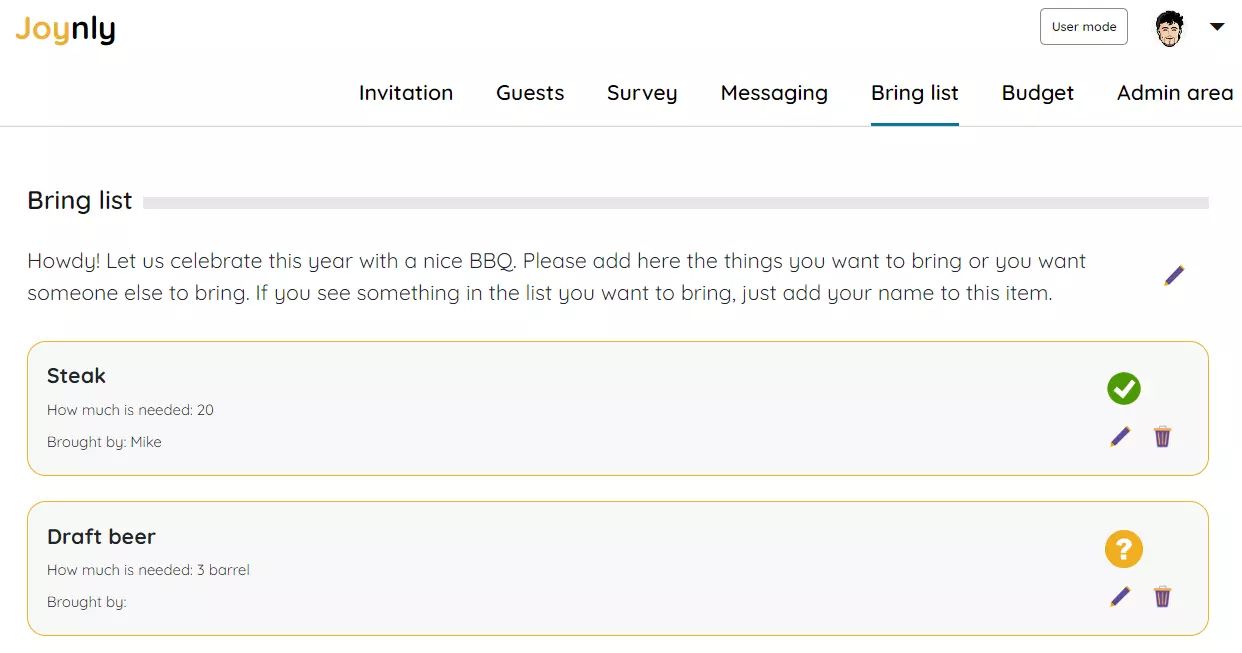
A successful event organization is not just about organizing the guest list. What about the list of necessary items. Should everybody bring something with them? Then the Joynly bring list is exactly the right tool for you.
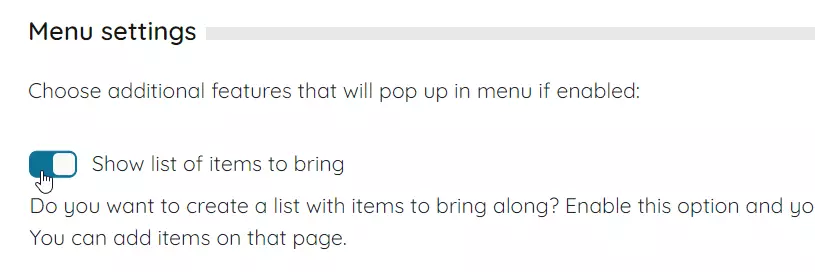
First activate the bring list in the administration area if it is not yet visible.
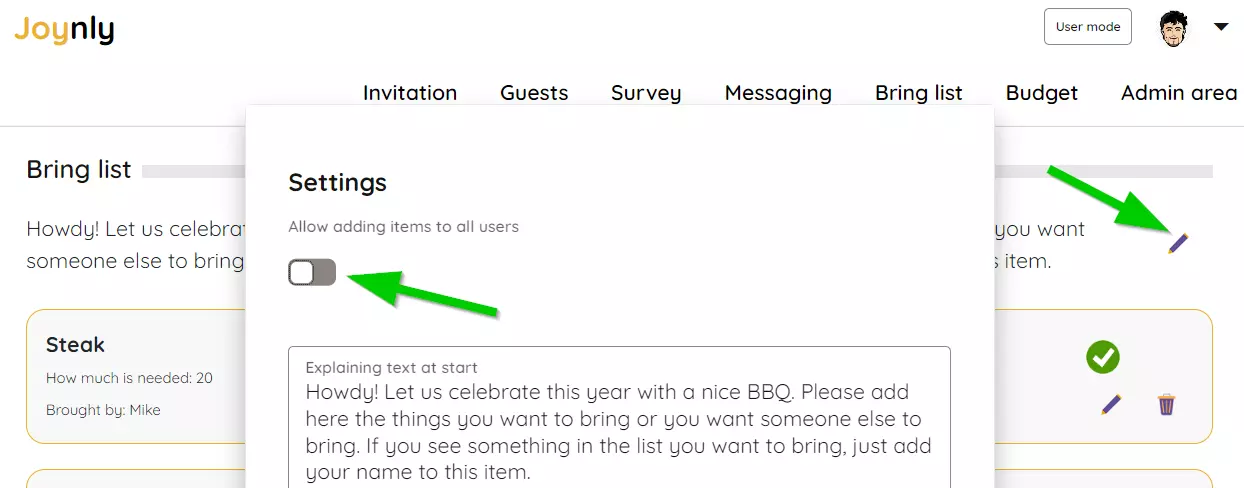
Locate the 'Bring List' menu item. Click on the settings button and enter an introductory message. Additionally, specify whether all guests are permitted to add items.
Add the things you need into the list. If you already know who is bringing something, then enter their name. In the list you can use the colored symbols to see which things no one has brought yet. All guests see the list and can enter themselves if they want to bring something with them.


